.png?width=260&height=102&name=ASKBOSCO_Logo_Grey_RGB%20(6).png)
This guide will walk you through the main types of keywords used in ASK BOSCO:
- General Keywords
- Number Keywords
- Comparative Keywords
- Date Keywords
- Text Keywords
General Keywords: Top, Bottom, Sort By
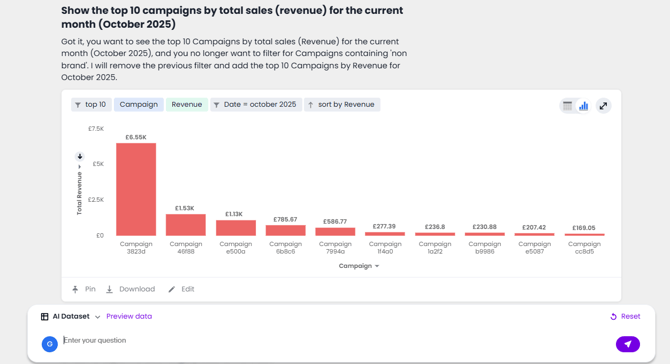
General keywords like top, bottom, and sort by help you return ranked data insights quickly.
Note: If no specific number is provided (e.g. top 15 or bottom 25), ASK BOSCO will return the top or bottom 10 by default.
Example:
Search:
“Show the Top 5 campaigns”
→ This displays your top 5 campaigns, sorted automatically by revenue.

Now try:
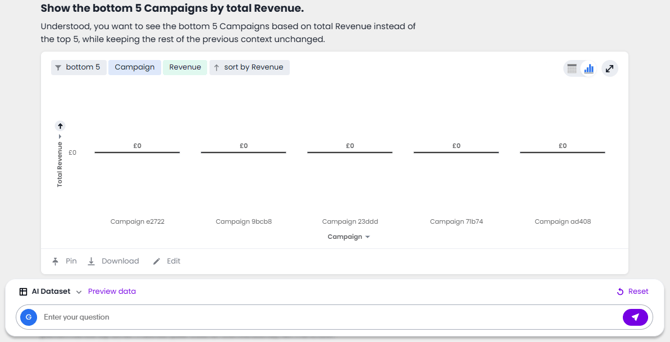
“Bottom 5 campaigns”
→ This shows the campaigns with the lowest reveue.
Number Keywords: Sum, Average, Count
Number keywords help you analyse measures and numerical values. These include:
- sum
- average
- maximum
- minimum
- count
- unique count
Example:
Search:
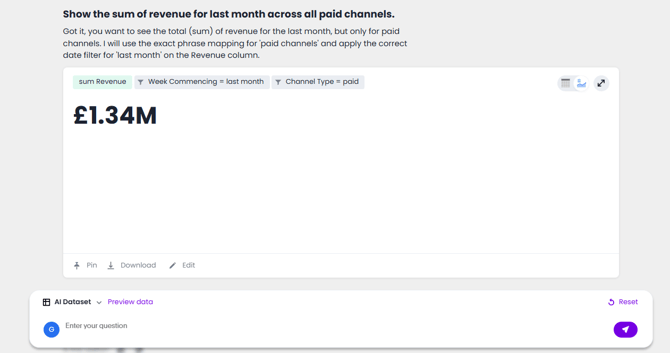
“Sum of revenue across Paid Channels”
→ This generates a bar chart illustrating your total revenue from all Paid channels for the previous month.
Comparative Keywords: Greater Than, Less Than
Comparative keywords allow you to filter results by setting conditions on values. These are useful when you only want to see data that meets a certain threshold.
Example:
Search:
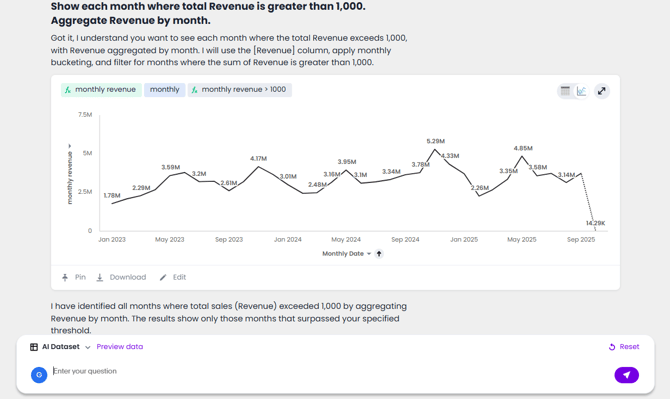
“Monthly sales greater than 1,000”
→ This returns monthly sales values, filtered to only include those over £1,000.
Date Keywords: Time-Based Insights
Date keywords save you from having to manually enter time ranges. You can reference time periods such as:
- this year
- last year
- this month
- last 3 days
- quarterly
- weekly
You can also specify exact values like Monday, October, or 2024.
Example:
Search: “Total revenue for September 2024”
→ This returns the total revenue for the specified month and year.

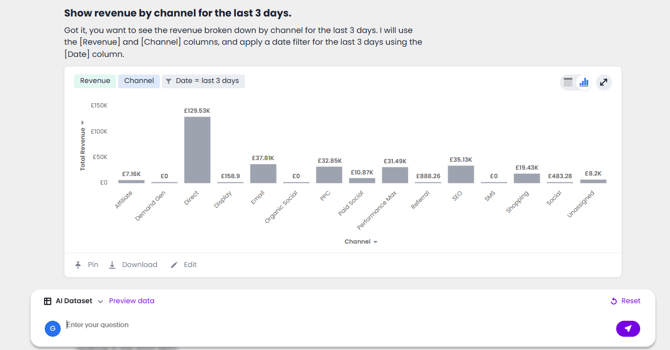
You can narrow this down to specific days within a week using phrases like: “Revenue by channel for the last 3 days” .
Text Keywords: Contains, Begins With, Ends With
Text keywords help filter your data using phrases or substrings. These include:
- contains
- begins with
- ends with
Example:
Search:
“Sales where campaign includes brand”
→ This returns total sales for all campaigns with "brand" in the name.
Summary
Keywords are a powerful way to refine your data quickly in ASK BOSCO. They help you:
- Get ranked results using Top and Bottom
- Perform calculations with Sum and Count
- Set conditions using Greater than or Not equal to
- Filter by time using This year, Last 7 days, etc.
- Narrow results using Contains and Begins with
💡 Pro Tip: Combine multiple keyword types for even more advanced queries — like:
“Top 10 products by sales this month where product contains 'jacket'”
This article was created by Grace. If you have any questions or need a hand, feel free to reach out to us at team@askbosco.io

March 2026