---
title: Unit 3.2 - Budget Planner Inputs
description: How to create a budget plan with ASK BOSCO® budget planner
---
[Skip to content](https://info.askbosco.io/knowledge/unit-3.2-budget-planner-inputs#main-content)
English
Show submenu for translations
[.png?width=260&height=102&name=ASKBOSCO_Logo_Grey_RGB%20(6).png)](https://app.askbosco.io/)
- [Book a call with our team](https://modo25.com/book-a-call/)
Open main navigation
Close main navigation
- [Book a call with our team](https://modo25.com/book-a-call/)
- English
Show submenu for translations
- [Contact us](mailto:team@askbosco.io)
[Contact us](mailto:team@askbosco.io)
How can we help you?
- There are no suggestions because the search field is empty.
1. [Here to Help](https://info.askbosco.io/knowledge?hsLang=en)
2. [ASK BOSCO® Training](https://info.askbosco.io/knowledge/ask-bosco-training?hsLang=en)
3. [Module 3 - Budget Planning & Allocation](https://info.askbosco.io/knowledge/ask-bosco-training?hsLang=en#module-3-budget-planning-allocation)
# Unit 3.2 - Budget Planner Inputs
## A comprehensive step-by-step guide on how to create a budget plan with ASK BOSCO® Budget Planner.
Once you have made sure you meet the recommended ASK BOSCO® criteria outlined in Unit 3.1, you can start making your own budget plans.
#### Simply navigate to the Budget Planner in the menu and click on "Start Here" to get started.
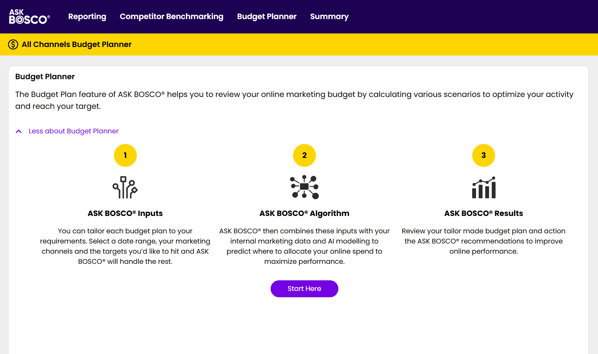
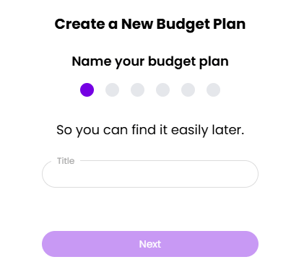
From here, ASK BOSCO® will ask for -
### Title
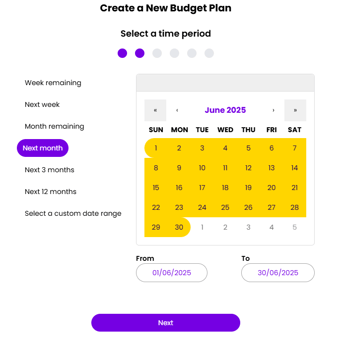
### Time period
### Input Your Targets
ASK BOSCO® Budget Planner can optimize towards the following:
- Maximum Conversions
- Maximum Clicks
- Maximum Revenue
- Target ROAS
- Target CPA
- Target COS
Be sure to set a target that’s both achievable and realistic!
### Channels
Next, select which channels you would like to include in the budget plan. Any Paid channel connected to ASK BOSCO® can pulled into the budget plan.
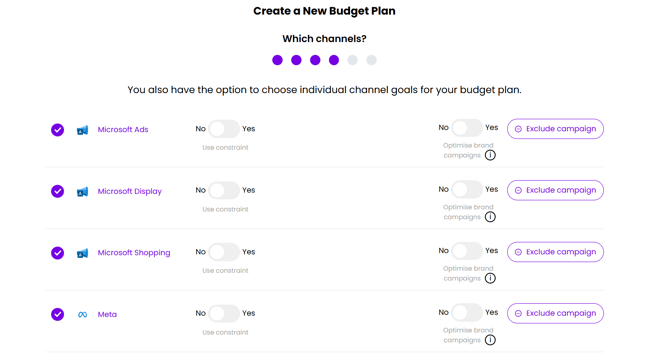
If you have a channel where you need it to hit a certain ROAS or other key metric, you can use a constraint to specify this condition. ASK BOSCO® will auto-populate the value, but you can adjust the target manually.
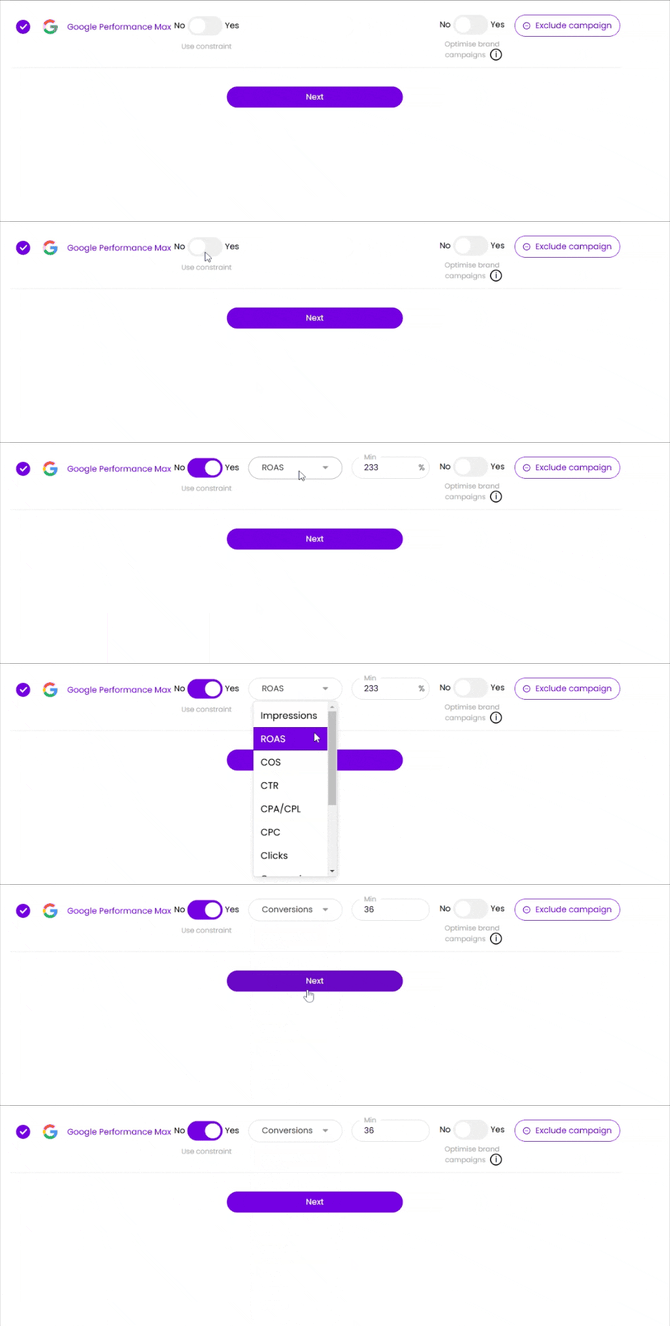
As a default, brand campaigns are not optimized but you can change this opt them back in. You can also exclude campaigns from the optimization using text that is included in the campaign name conventions.
.gif?width=670&height=222&name=chrome-capture-2025-2-12%20(1).gif)
### Budget
Enter your budget for your selected channels, keeping in mind the campaigns you have excluded. ASK BOSCO® will suggest a budget for the time period you've selected and will give you a recommended minimum and maximum spend.
### Walkthrough
If you’d like some additional guidance, we invite you to check out the tour below!
### Knowledge Check
Previous - [Unit 3.1 - Budget Planner Overview](https://info.askbosco.io/knowledge/unit-3.1-budget-planner-overview?hsLang=en)
Next - [Unit 3.3 - Budget Planner Outputs](https://info.askbosco.io/knowledge/unit-4.3-budget-planner-outputs?hsLang=en)
- [FAQs](https://info.askbosco.io/knowledge/faqs?hsLang=en#main-content)
- [Onboarding](https://info.askbosco.io/knowledge/faqs?hsLang=en#onboarding)
- [Knowledge Hub](https://info.askbosco.io/knowledge/knowledge-hub?hsLang=en#main-content)
- [Getting Started](https://info.askbosco.io/knowledge/knowledge-hub?hsLang=en#getting-started)
- [Data Connections & Integrations](https://info.askbosco.io/knowledge/knowledge-hub?hsLang=en#data-connections-integrations)
- [Onboarding & Implementation](https://info.askbosco.io/knowledge/knowledge-hub?hsLang=en#onboarding-implementation)
- [Using the Reporting Tools](https://info.askbosco.io/knowledge/knowledge-hub?hsLang=en#using-the-reporting-tools)
- [Product Updates & Features](https://info.askbosco.io/knowledge/knowledge-hub?hsLang=en#product-updates-features)
- [ASK BOSCO® Training](https://info.askbosco.io/knowledge/ask-bosco-training?hsLang=en#main-content)
- [Getting Started With ASK BOSCO® Training](https://info.askbosco.io/knowledge/ask-bosco-training?hsLang=en#getting-started-with-ask-bosco-training)
- [Module 1 - Introduction & Overview](https://info.askbosco.io/knowledge/ask-bosco-training?hsLang=en#module-1-introduction-overview)
- [Module 2 - Report Features & Analytics Basics](https://info.askbosco.io/knowledge/ask-bosco-training?hsLang=en#module-2-report-features-analytics-basics)
- [Module 3 - Budget Planning & Allocation](https://info.askbosco.io/knowledge/ask-bosco-training?hsLang=en#module-3-budget-planning-allocation)
- [ASK BOSCO® AI Analyst](https://info.askbosco.io/knowledge/ask-bosco-training?hsLang=en#ask-bosco-ai-analyst)
- [ASK BOSCO® Shopify App](https://info.askbosco.io/knowledge/ask-bosco-shopify-app?hsLang=en#main-content)
- [Getting Started with Shopify](https://info.askbosco.io/knowledge/ask-bosco-shopify-app?hsLang=en#getting-started-with-shopify)
- [Shopify Reporting](https://info.askbosco.io/knowledge/ask-bosco-shopify-app?hsLang=en#shopify-reporting)
- [Product Releases](https://info.askbosco.io/knowledge/product-releases?hsLang=en)
- [Data connections](https://info.askbosco.io/knowledge/data-connections?hsLang=en)
- [Book a call with our team](https://modo25.com/book-a-call/)
[](https://askbosco.io/)
One Embankment, Neville Street. Leeds. LS1 4DW.
Tel: +[44 20 3355 6741](tel:44%2020%203355%206741)
[mailto:email@email.com](mailto:email@email.com)
Copyright © 2025, ASK BOSCO®