.png?width=260&height=102&name=ASKBOSCO_Logo_Grey_RGB%20(6).png)
Logging in to ASK BOSCO®
To access ASK BOSCO®, you’ll need to use the email provided to us in the onboarding form.
Steps
- Go to https://app.askbosco.io.
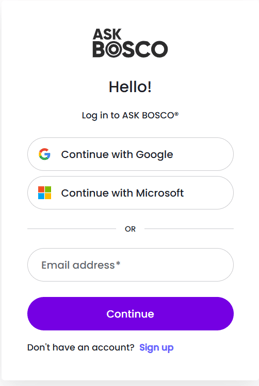
- Continue with Google or Microsoft 365, depending on which your email is associated with.
- Only use the email address option if your email address cannot be authorized via a Google or Microsoft login.
- Follow the login steps, and you'll be redirected to your ASK BOSCO® dashboard.
Please make sure you use the email address that was originally set up with your ASK BOSCO® account. If you have any issues logging in, please contact team@askbosco.io
Important: If you're using Safari, please ensure third-party tracking is enabled. Go to Safari > Preferences > Privacy and untick "Website tracking" for the best experience.
Understanding the Layout and Navigation
When you log in, you’ll arrive at your ASK BOSCO® Dashboard, the central hub where you can view, filter, and analyse your marketing performance.
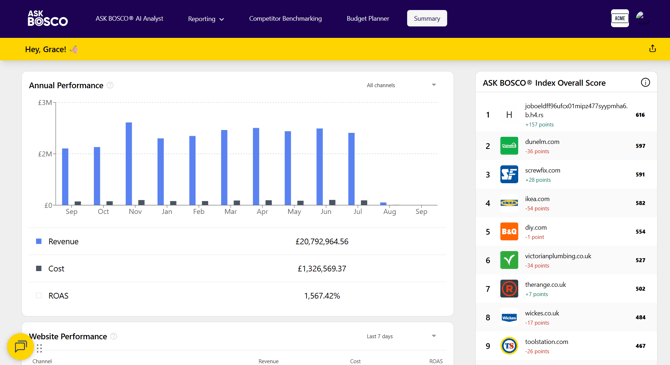
Main areas of the interface
Reporting – View, download, and create performance reports to track key metrics across all connected marketing platforms.
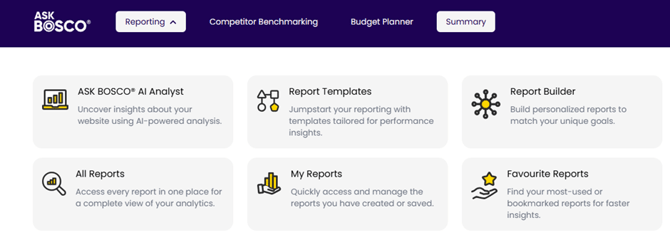
The Reporting section gives you access to all tools for creating, managing, and analysing reports. From AI-powered insights and ready-made templates to the custom Report Builder, this area helps you generate and save tailored performance reports efficiently. You can also view all existing reports or access your saved and favourite ones for quick reference.
Competitor Benchmarking – Compare your online visibility and performance against competitors to identify market position and growth opportunities.
Budget Planner – Forecast results and plan spend distribution across channels to maximise return on investment.
Summary – Get a quick overview of key performance metrics and trends across all connected accounts.
Settings and Account Management
Access your settings by clicking your account icon in the top-right corner and selecting Manage Settings.
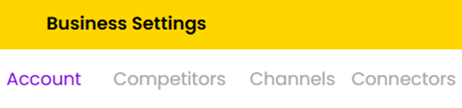
Within Settings, you can:
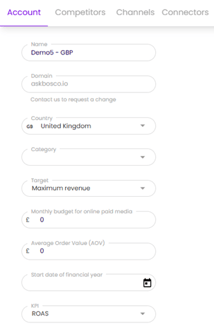
- Update your Account Name, KPI’s, and Keywords.
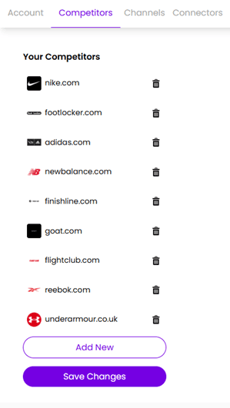
- Configure new Competitors.
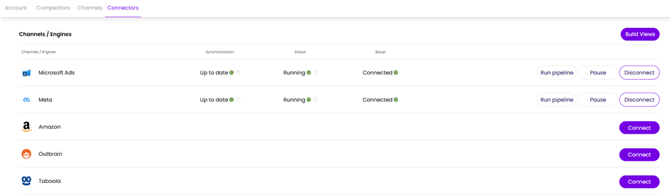
- Review your connected platforms (e.g. Google Ads, Meta, Microsoft Ads, Shopify).
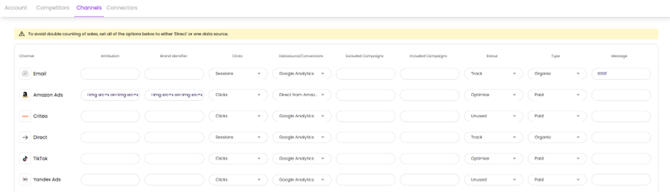
- Manage Channel source.
This article was created by Grace. If you have any questions or need a hand, feel free to reach out to us at team@askbosco.io

Feb 2026