---
title: Meta Ads Data Connection
description: How to connect Meta Ads in ASK BOSCO & the Meta Ads model and metrics available.
---
[Skip to content](https://info.askbosco.io/knowledge/meta-ads-data-connection#main-content)
English
Show submenu for translations
[.png?width=260&height=102&name=ASKBOSCO_Logo_Grey_RGB%20(6).png)](https://app.askbosco.io/)
- [Book a call with our team](https://modo25.com/book-a-call/)
Open main navigation
Close main navigation
- [Book a call with our team](https://modo25.com/book-a-call/)
- English
Show submenu for translations
- [Contact us](mailto:team@askbosco.io)
[Contact us](mailto:team@askbosco.io)
How can we help you?
- There are no suggestions because the search field is empty.
1. [Here to Help](https://info.askbosco.io/knowledge?hsLang=en)
2. [Data connections](https://info.askbosco.io/knowledge/data-connections?hsLang=en)
# Meta Ads Data Connection
## How to connect Meta Ads in ASK BOSCO & the Meta Ads data metrics available:
**How to connect:**
1. Go to the Connections tab and navigate to the Connector Library
2. Click Connect on the Meta Ads tile
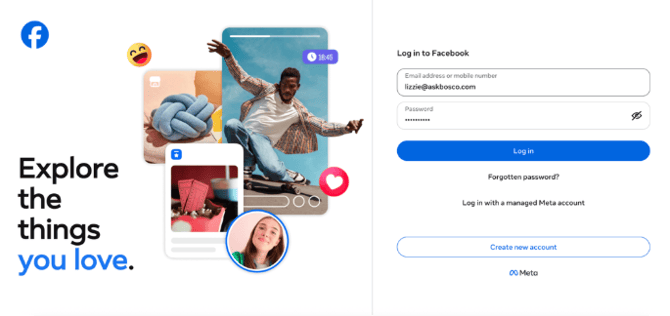
3. You will be redirected to Meta Sign in page
4. Log in to the Meta account that has access to the ad account/s you want to connect
5. Choose the Business Portfolio that has access to the ad account/s you want to connect
6. Choose the ad account/s you want to connect
7. Authorize access to ASK BOSCO by clicking confirm
8. Select the Meta ad account/s to connect in the ASK BOSCO interface
9. Connection complete
### **Meta data model and metrics available in ASK BOSCO®**
**Meta Ads model**
- **Action Type:** Configurable conversion measurement selector controlling Action Count and Value metrics
- **Brand / Non Brand:** Shows whether this relates to the brand's own name ("Brand") or not ("Non-brand"). If this hasn't been set up yet, it will show as "Uncategorised".
- **Impressions:** The number of times an ad or search result was shown.
- **Link Clicks:** The number of times users clicked on an ad or link.
- **Cost:** The total amount spent on paid channels, down to the campaign level. Data sourced from ad platform.
- **Account Id:** The Account ID is a number which identifies which account we are downloading data from.
- **Account Name:** The name of the account used in this connector. This is mainly used when multiple accounts are connected.
- **Ad Set Id:** \[no description set\]
- **Ad Set Name:** \[no description set\]
- **Campaign Id:** A unique identifier for a marketing campaign. Data source: From each ad platform
- **Campaign:** A unique identifier for a marketing campaign. Data source: From each ad platform
- **Campaign Status:** Indicates whether a campaign is active, paused, or ended
- **Ad Set Status:** Indicates whether an Ad Set is active, paused, or ended
- **Date:** The specific day for which data is reported.
- **Device:** The type of device used to access the site (e.g., Desktop, Mobile, Tablet).
- **Action Count:** Your action value. What this measures depends on the action type you've selected, it could be revenue, refund amounts, discount amounts, or event values. Always check which action type is active.
- **Action Value:** Monetary or event value measurement dependent on Action Type selection including revenue, refund amounts, discount values, requiring Action Type filter for accurate interpretation.
- **ROAS:** Calculated as the Action Value / Cost for whichever Action Type is selected.
- **AOV:** The average revenue per order, calculated as Revenue divided by Transactions. Data source: defined by the conversion source.
- **Conversion Rate:** Percentage of users who completed a goal. This is calculated by Conversions / Traffic. Data Source: Traffic is determined from Traffic Source (sessions or clicks) and Conversions is based on the conversions source and this is either Ad Platform or GA4.
- **COS:** COS - Cost Of Sale measures the percentage of revenue spent on advertising. This is calculated by Cost / Revenue. Data source: Cost comes from Ad platforms where as Revenue is based on what is selected from the conversion source (Google Analytics or Ad… \[text cut off in original screenshot\]
- **CTR:** CTR - Click Through Rate measures the ratio of clicks to impressions
- [FAQs](https://info.askbosco.io/knowledge/faqs?hsLang=en#main-content)
- [Onboarding](https://info.askbosco.io/knowledge/faqs?hsLang=en#onboarding)
- [Knowledge Hub](https://info.askbosco.io/knowledge/knowledge-hub?hsLang=en#main-content)
- [Getting Started](https://info.askbosco.io/knowledge/knowledge-hub?hsLang=en#getting-started)
- [Data Connections & Integrations](https://info.askbosco.io/knowledge/knowledge-hub?hsLang=en#data-connections-integrations)
- [Onboarding & Implementation](https://info.askbosco.io/knowledge/knowledge-hub?hsLang=en#onboarding-implementation)
- [Using the Reporting Tools](https://info.askbosco.io/knowledge/knowledge-hub?hsLang=en#using-the-reporting-tools)
- [Product Updates & Features](https://info.askbosco.io/knowledge/knowledge-hub?hsLang=en#product-updates-features)
- [ASK BOSCO® Training](https://info.askbosco.io/knowledge/ask-bosco-training?hsLang=en#main-content)
- [Getting Started With ASK BOSCO® Training](https://info.askbosco.io/knowledge/ask-bosco-training?hsLang=en#getting-started-with-ask-bosco-training)
- [Module 1 - Introduction & Overview](https://info.askbosco.io/knowledge/ask-bosco-training?hsLang=en#module-1-introduction-overview)
- [Module 2 - Report Features & Analytics Basics](https://info.askbosco.io/knowledge/ask-bosco-training?hsLang=en#module-2-report-features-analytics-basics)
- [Module 3 - Budget Planning & Allocation](https://info.askbosco.io/knowledge/ask-bosco-training?hsLang=en#module-3-budget-planning-allocation)
- [ASK BOSCO® AI Analyst](https://info.askbosco.io/knowledge/ask-bosco-training?hsLang=en#ask-bosco-ai-analyst)
- [ASK BOSCO® Shopify App](https://info.askbosco.io/knowledge/ask-bosco-shopify-app?hsLang=en#main-content)
- [Getting Started with Shopify](https://info.askbosco.io/knowledge/ask-bosco-shopify-app?hsLang=en#getting-started-with-shopify)
- [Shopify Reporting](https://info.askbosco.io/knowledge/ask-bosco-shopify-app?hsLang=en#shopify-reporting)
- [Product Releases](https://info.askbosco.io/knowledge/product-releases?hsLang=en)
- [Data connections](https://info.askbosco.io/knowledge/data-connections?hsLang=en)
- [Book a call with our team](https://modo25.com/book-a-call/)
[](https://askbosco.io/)
One Embankment, Neville Street. Leeds. LS1 4DW.
Tel: +[44 20 3355 6741](tel:44%2020%203355%206741)
[mailto:email@email.com](mailto:email@email.com)
Copyright © 2025, ASK BOSCO®