.png?width=260&height=102&name=ASKBOSCO_Logo_Grey_RGB%20(6).png)
🔍 How to Use the Knowledge Hub
1. Use the Search Bar
At the top of the page, you’ll find a search bar. Type in a question or keyword — like “create a dashboard” or “what is competitor benchmarking” — and we’ll show you all the related articles.
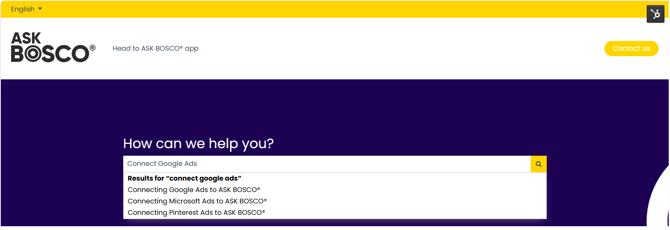
💡 Tip: Try searching with specific terms for the best results (e.g. “dashboard setup” instead of “dashboard”).
2. Browse by Category
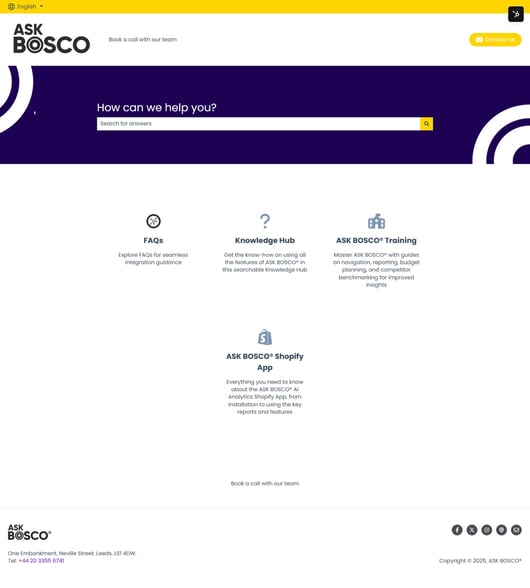
Prefer to explore? You can browse articles by category to find what you need:
-
Getting Started – Learn how to set up and navigate ASK BOSCO®.
-
Knowledge Hub – Deep dives into our platform’s key features.
-
ASK BOSCO® Training – Key learning paths for you to follow..
- ASK BOSCO® Shopify app - Articles specific to using our app
Each section has article designed to guide you step-by-step.
3. Follow Helpful Links
Within many articles, you’ll find links to related aligned topics — making it easy to explore connected features or learn more about advanced capabilities.
4. Stay Updated
We’re constantly improving and expanding ASK BOSCO®, so our Knowledge Hub grows along with it. Check back regularly for new guides, updates, and feature releases.
💡 What You’ll Find Here
-
Quick Start Guides – Perfect for new users getting set up.
-
Product Tutorials – Learn how to use each ASK BOSCO® feature effectively.
-
Troubleshooting Help – Find answers to common issues fast.
-
Advanced Insights – Discover ways to make smarter decisions.
🚀 Need More Help?
If you can’t find what you’re looking for, we’re here to help!
👉 Contact our Customer Success Team for personalized assistance.
Start exploring now: Go to the Knowledge Hub Home ›
 This article was prepared by Claire. If you have any questions please email team@askbosco.io
Checked and Updated July 2026