.png?width=260&height=102&name=ASKBOSCO_Logo_Grey_RGB%20(6).png)
Typical End-to-End Timeline
From onboarding form submission to training:
-
DAY 1 - 3 Data Access
-
DAY 4 - 5 Data Downloading
-
DAY 6 - 9 Report Building
- DAY 9-10 UAT and Logins Sent
⏱️ Around 7–10 working days, depending on access and platform complexity.
Step 1: Onboarding Form Submitted
Timeframe: Same day
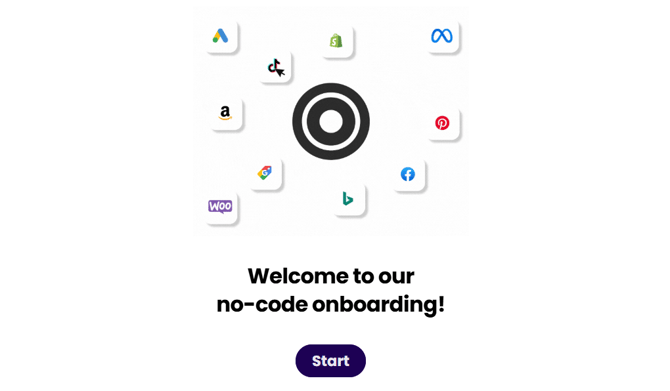
Once you submit the onboarding form, our Customer Success team reviews the information to confirm:
- Which platforms we’re connecting (e.g. GA4, Google Ads, Meta, AWIN)
- Which reports and KPIs you’ll need
- Any specific business goals or tracking requirements
If anything is missing or unclear, we’ll reach out straight away.
Step 2: Data Access & Permissions
Timeframe: 1–3 working days (depends on access)
Next, we connect your data sources to ASK BOSCO®. The completion of this step depends on how quickly access is provided.
Typical requirements include:
- Read-only access to analytics and ad platforms
- API keys (for platforms like AWIN or Shopify)
- Account IDs for paid media platforms
💡 Tip: Providing access promptly helps keep onboarding on schedule. You can see all the ways you can connect data here.
Step 3: Data Download & Validation
Timeframe: 1–2 working days
Once access is in place, we:
- Download your historical data
- Validate that data is pulling correctly
- Check date ranges, currencies, timezones, and conversion sources
This ensures your data is accurate before anything is built.
Step 4: Data Cleaning & Modeling
Timeframe: 2–3 working days
Behind the scenes, our data team:
- Cleans and normalizes your data
- Aligns metrics across platforms
- Applies ASK BOSCO®’s data model so everything reports consistently
This step is key to making sure insights are reliable and comparable.
Step 5: Report & Dashboard Build
Timeframe: 1–2 working days
We then:
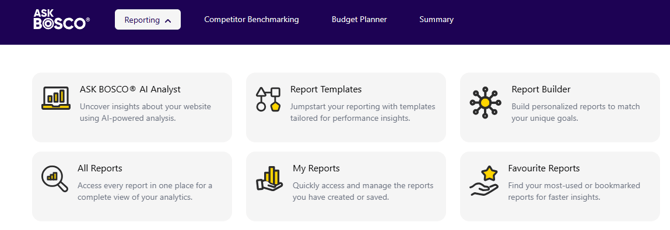
- Build your dashboards using ASK BOSCO® best-practice templates
- Apply your KPIs, goals, and channel structure
- Set up pre-built and custom reports based on your needs
All dashboards follow a consistent format so they’re easy to navigate and customize later.
Step 6: UAT (User Acceptance Testing)
Timeframe: 1 working day
Before logins are sent, we complete UAT to make sure everything is working as expected. This includes:
- Checking all connected accounts are pulling correctly
- Verifying key metrics, KPIs, and goals
- Testing report functionality, filters, and interactions
- Confirming data accuracy and consistency across dashboards
This final quality check ensures you’re logging into a fully tested setup.
Step 7: Logins & Access Sent
Timeframe: Day before or day of training
Once UAT is complete:
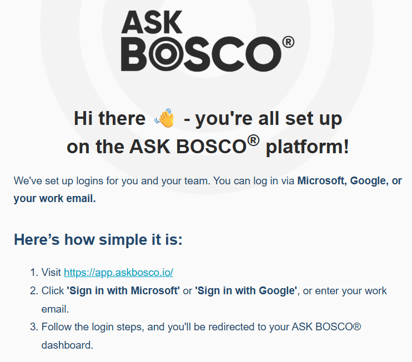
- Your ASK BOSCO® login details are sent
- Access is set to the appropriate permission level
- You’ll be ready to explore your data ahead of (or alongside) training
Step 8: Training Sessions
Timeframe: Usually within 1 week of build completion
Your onboarding includes a training session where we:
- Walk through your dashboards
- Explain key metrics and reports
- Show you how to filter, customize, and build your own reports
- Answer any questions live
Training can be tailored based on your confidence level and reporting needs.
Ongoing Support
After onboarding:
- Our Knowledge Hub is available 24/7
- Our team is always on hand to help at team@askbosco.io
This article was created by Grace. If you have any questions or need a hand, feel free to reach out to us at team@askbosco.io

January 2026