.png?width=260&height=102&name=ASKBOSCO_Logo_Grey_RGB%20(6).png)
Accessing Your Clients
By default, agency users have access to all client accounts linked to their agency. You can switch between clients at any time using the account selector in the top-right corner of the platform.
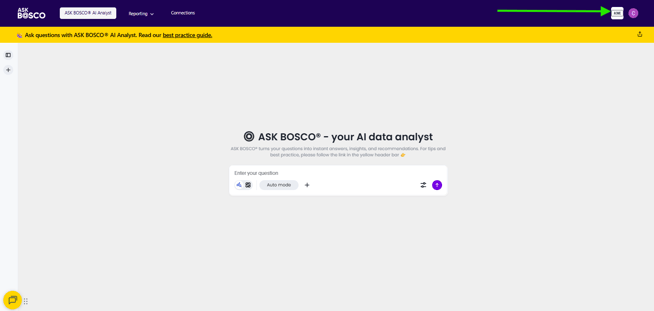
This makes it easy to move between accounts without needing separate logins.
Managing Team Access
If you’d like certain team members to only see specific client accounts, we can set this up for you. This is useful if:
-
Different team members manage different clients
-
You want to restrict access for contractors or junior users
Just let us know which users should have access to which accounts, and we’ll handle the setup.
Agencies With 5+ Clients
If you’re onboarding more than five clients, we can offer a more personalized onboarding process.
Instead of completing an onboarding form for each client, we can:
-
Align on requirements in a single onboarding session
-
Streamline access and setup across all accounts
-
Ensure consistent reporting and KPIs across clients
This helps speed up onboarding and reduces admin overhead.
Need Help?
If you have any questions about agency onboarding or access setup, please contact us at team@askbosco.io
This article was created by Grace. If you have any questions or need a hand, feel free to reach out to us at team@askbosco.io

Update July 2026